Practical Guide to SMS Spam Detection with BERT and PyTorch
In this article, we will explore SMS spam detection with BERT. BERT (Bidirectional Encoder Representations from Transformers) is a widely used NLP model architecture that can be adapted to many text tasks, including classification. PyTorch and Hugging Face Transformers provide a convenient way to work with BERT models.
What You Need
Before you begin, make sure you have:
- Python
- PyTorch
- Hugging Face Transformers
- An SMS dataset, such as the SMS Spam Collection, if you plan to fine-tune a classifier
Install the required libraries with:
pip install torch transformers scikit-learnSimple Code Example
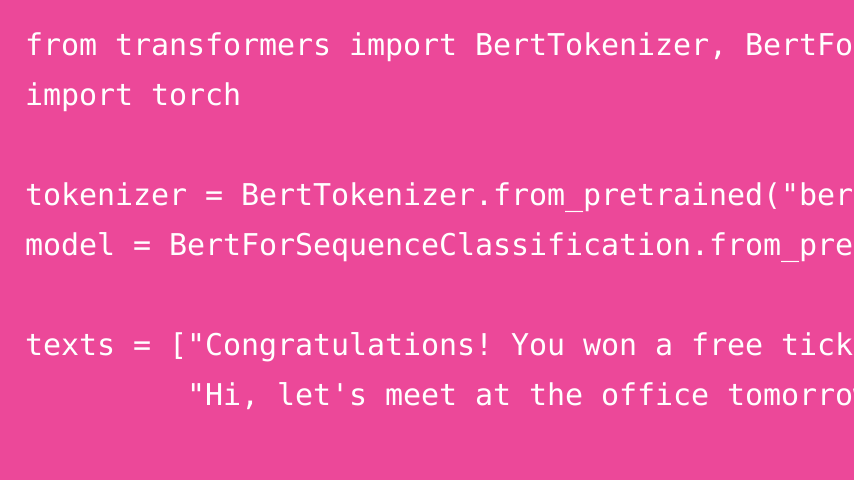
The following code shows the basic mechanics of running a BERT sequence-classification model:
from transformers import BertTokenizer, BertForSequenceClassification
import torch

# Load the tokenizer and model
tokenizer = BertTokenizer.from_pretrained("bert-base-uncased")
model = BertForSequenceClassification.from_pretrained("bert-base-uncased", num_labels=2)

# Example SMS messages
texts = ["Congratulations! You won a free ticket!",
         "Hi, let's meet at the office tomorrow"]

# Tokenize the input
inputs = tokenizer(texts, padding=True, truncation=True, return_tensors="pt")

# Run inference
with torch.no_grad():
    outputs = model(**inputs)
    predictions = torch.argmax(outputs.logits, dim=-1)

for text, pred in zip(texts, predictions):
    label = "Spam" if pred.item() == 1 else "Ham"
    print(f"{text} → {label}")
How It Works
- Tokenizer → converts text into tokens that BERT can process.
- Model →
BertForSequenceClassificationadds a classification head on top of BERT. - Inference → the model produces logits, which can be converted into predicted class IDs.
Note:
bert-base-uncasedis not an SMS spam classifier by default. To obtain meaningful spam/ham predictions, fine-tune the sequence-classification model on labeled spam data or load a checkpoint that has already been trained for that task.
Conclusion
BERT can be a strong foundation for SMS spam detection when it is fine-tuned on an appropriate labeled dataset. The code above demonstrates the model interface; for practical use, train or load a task-specific checkpoint before relying on its predictions.